
Introduction
What we learn, from this digital transformation process, is that organizations rely more heavily on cloud services for collaboration, document management, communication, and productivity. This means, that once we digitalize the workflows, and shift our operations to the cloud, adequate data protection strategy is essential.
Now, it is all connected to what type of cloud services we use. Responsibility lies on our, cloud providers or both. While Microsoft provides strong resilience, redundancy, and retention capabilities within their datacenters, the data/information we load, transform, use within those services is our responsibility. And, I’m not talking about security only. In those systems native data protection features are not a complete backup solution.
We need to read the “fine-print” in the terms, what he cloud services does and does not, when it comes to our data. There is also the questions of adequate licensing, built-in features in the services, identifying the gaps in the protection, and what are our alternatives.
I have been talking with several of my customers on the topic of cloud services backup, related to Microsoft 365. These are some observations and insights on the options, cost and how it fits within various organizational sizes.
Microsoft 365 Retention vs. Backup
Now, we are talking here about two different capabilities. They are quite often mistakenly used interchangeably.
Retention defines how long data is preserved within the service and in what state. We define a set of policies to ensure data is kept for compliance, legal, or operational requirements. This covers both situations, if users modify or delete it. Besides the polices, core Microsoft 365 retention (Microsoft Purview Data lifecycle and records management) features include versioning, recycle bin and litigation hold (eDiscovery).
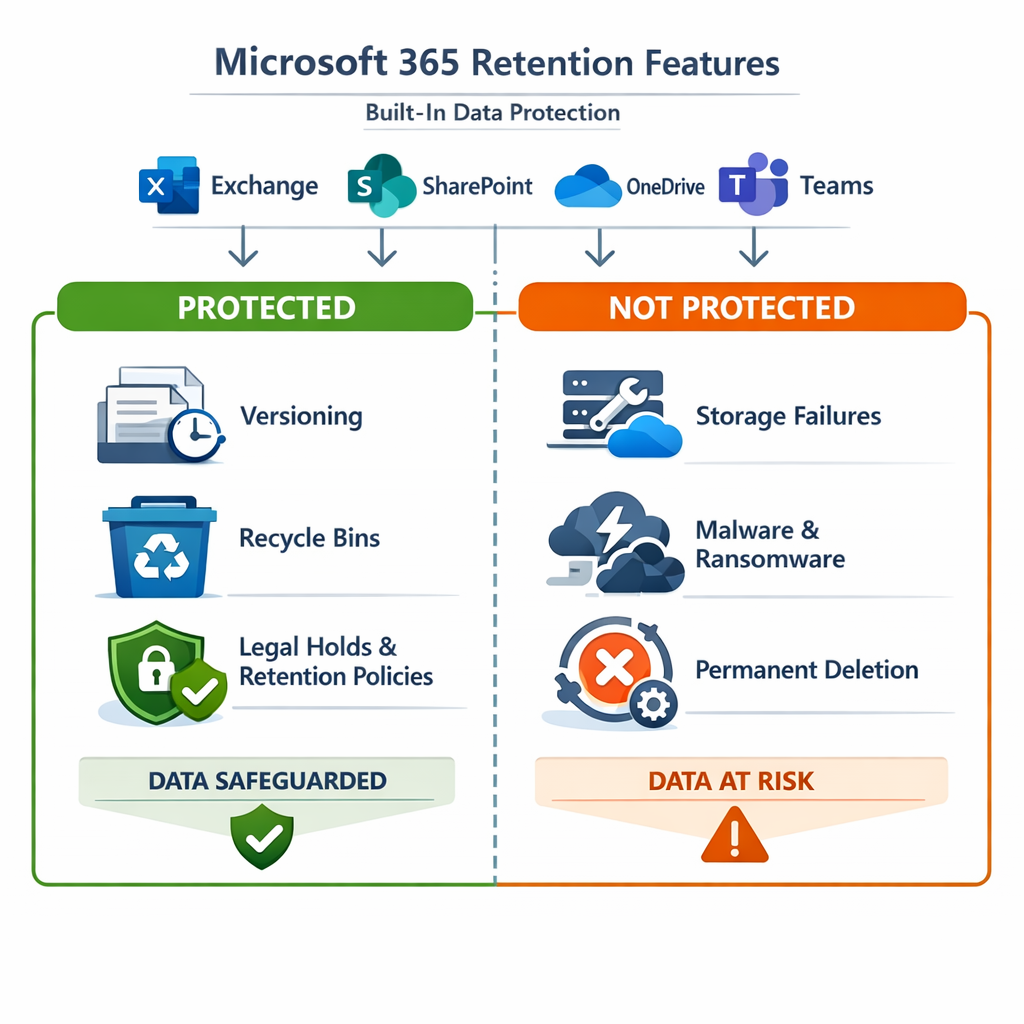
Retention is not a backup! It keeps data accessible inside the tenant, but not in a separate location.
Backup is the process of creating a separate/independent copy of data that you can restore. The restore process is initiated if primary system fail or data becomes corrupted. Core backup features are point-in-time snapshots, copies stored in different location, ability to restore the data in different environment and protection against treats (ransomware, corruption, disaster, admin-level privilege misuse)
Microsoft 365 does not natively provide full backup capabilities. With Microsoft 365 Backup you can fill in the gaps, but there is additional costs.
Microsoft 365 Backup vs. Azure Files
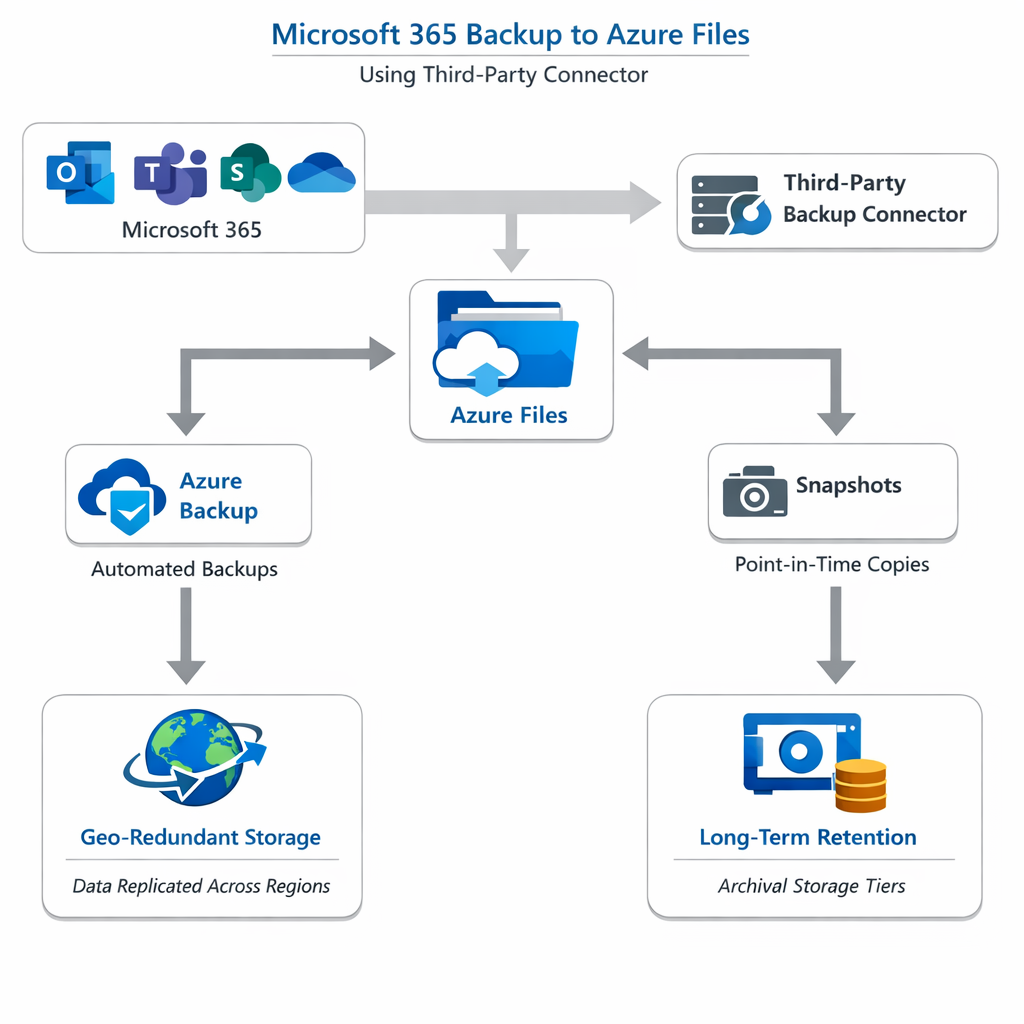
I won’t spend time talking about the Microsoft 365 Backup features, but in short it is the native solution for SharePoint sites, OneDrive accounts, Microsoft Teams files and Exchange online. What it does not do is export to external storage, cross-tenant or region-level backup, and offline or long-term archival capability.
So, what’s the math related to the chunk of data we need to protect? I’m just comparing the Microsoft 365 Backup, and alternative storage service that is Azure Files. Furthermore, Azure Files can be used as storage repository with third party backup software as well.
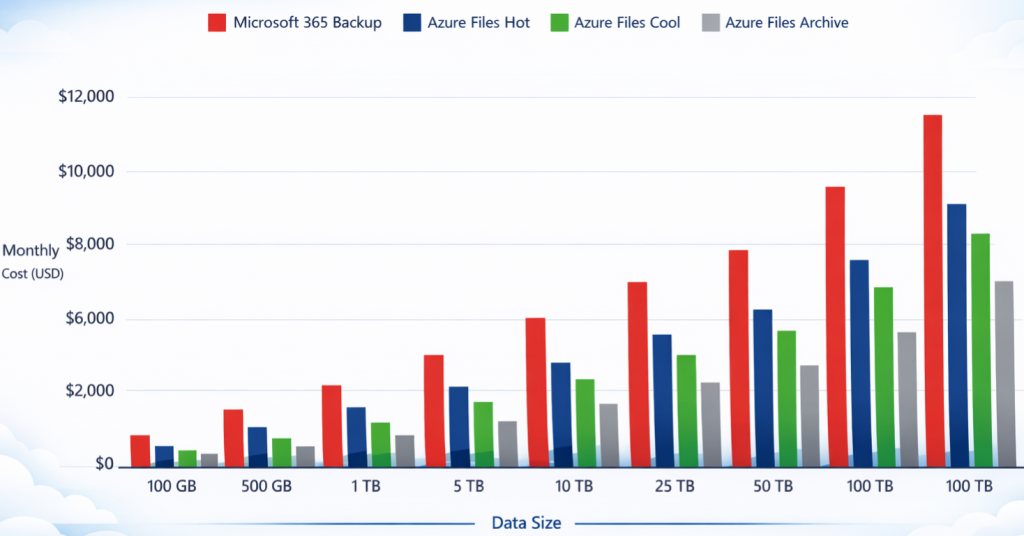
If we go for the raw, Gb-size pre month math (without restore costs), it will be something like this (pricing based on East US region):
- Microsoft 365 Backup: ~$0.15 [data restore is free]
- Azure Files (Hot tier): ~$0.06 [no cost for data retrieval, since its optimized for frequent access]
- Azure Files (Cool tier): ~$0.015 [price for data restore is ~$0.01 per Gb]
- Azure Files (Archive tier): ~$0.0025 [price for data restore is ~$0.025 – $0.03, including hydration]
Additional information:
Microsoft 365 Backup (feature summary)
Microsoft 365 Backup calculator (Excel)
Given the above chart, certain conclusion can be drawn:
Conclusion
- If You are organization with up to 300 users, looking for simple recovery, relative low volume (2-5Tb) with minimal compliance, then Microsoft 365 Backup is best fit. This is excellent choice for organization that is heavy SharePoint/Teams user, with retention period less than 90 days.
- If You are a mid-size organization (300-1000 users), in need of fast restore, moderate retention and cost control, then hybrid approach is for you. Combining Microsoft 365 Backup ad Azure Files. This is excellent choice for financial/healthcare/government organization with isolation/immutability needs.
- If You are a large organization, with more than 5Tb volume of data, multi-year retention, tenant isolation needs and low-cost long term storage, then Azure Files (tiered) is best fit. This works well if ransomware resilience, multi-region redundancy, legacy file shares and budget constrains are in focus.
Microsoft 365 services, as Software-as-a-Service (SaaS) environment, does provide robust resilience and retention capabilities. By itself, this is not enough to be “mistaken” for a backup solution. Furthermore, combining Microsoft 365 Backup with Azure Files capabilities, can be a powerful hybrid solution.
It does not come without caveats, for example moving data to Azure Files is not a straightforward process and requires manual work (scripting must be used). When integrated with third party backup tools it works.

Be the first to comment